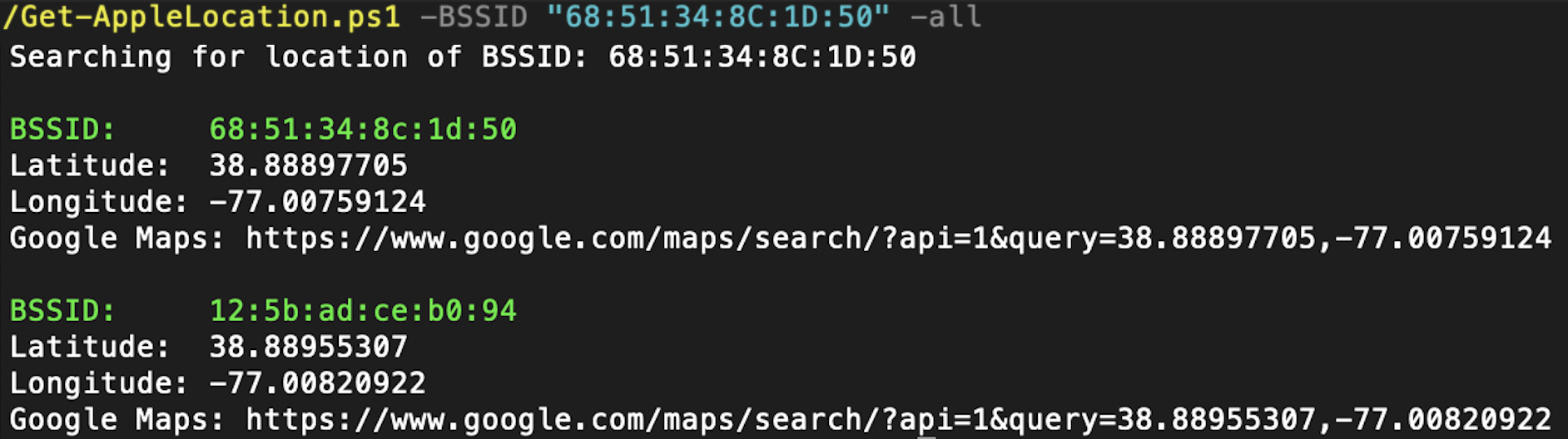
Simple PowerShell script to find the location of a WiFi access point from its BSSID using Apple's Location Services. It can also open a Google Maps link to the found coordinates using your default browser.
To find the location of a bssid run the following: .\Get-AppleLocation.ps1 -BSSID "68:51:34:8C:1D:50"
To find the location and display it on a map run the following: .\Get-AppleLocation.ps1 -BSSID "68:51:34:8C:1D:50" -Map
To display all other (unrequested) nearby BSSIDs with their coordinates, run the following: .\Get-AppleLocation.ps1 -BSSID "68:51:34:8C:1D:50" -All
This project is derived from https://github.com/darkosancanin/apple_bssid_locator which credits https://github.com/hubert3/iSniff-GPS, which in turn is based on work from the paper by François-Xavier Aguessy and Côme Demoustier (http://fxaguessy.fr/rapport-pfe-interception-ssl-analyse-donnees-localisation-smartphones/).
My interest in this endevour was started with a (now deleted) project by https://github.com/drygdryg, and Erik Rye's Blackhat talk on the subject (https://i.blackhat.com/BH-US-24/Presentations/US24-Rye-Surveilling-the-Masses-with-Wi-Fi-Positioning-Systems-Wednesday.pdf).